Thursday, January 29, 2009

SimCity a city-building simulation game

The objective of SimCity, as the name of the game suggests, is to build and design a city, without specific goals to achieve (except in the scenarios, see below). The player can mark land as being zoned as commercial, industrial, or residential, add buildings, change the tax rate, build a power grid, build transportation systems and many other actions, in order to enhance the city.

Also, the player may face disasters including: flooding, tornadoes, fires, earthquakes and attacks by monsters. In addition, monsters and tornados can trigger train crashes by running into passing trains. Later disasters in the game's sequels included lightning strikes, volcanoes, meteors and attack by extra-terrestrial craft.
In the SNES version and later, one can also build rewards when they are given to them, such as a mayor's mansion, casino, etc.

Wednesday, January 28, 2009

JumpStart 3D Virtual World, Adventure Based Learning For Kids

Games in the JumpStart series are designed for a variety of ages, from infancy through preadolescence. The games combine adventure, puzzles, and problem-solving, and typically feature a printable progress report. In general, JumpStart games designed for younger children are more common/plentiful than ones for older children and tend to include more activities than those for older children.
Visit: JumpStart 3D Sit.
Visit: JumpStart Wikipedia for more information.

Monday, November 17, 2008

TuxMath - an educational arcade game

TuxMath is an educational arcade game starring Tux, the Linux mascot! Based on the classic arcade game "Missile Command," Tux must defend his cities by solving arithmetic problems.


Windows Download: See Here
Fedora Download: See Here **

Note: SDL_image SDL_mixer packages are required to install tuxmath. Use "yum install SDL_mixer SDL_image" command to install the dependencies.

Wednesday, October 22, 2008

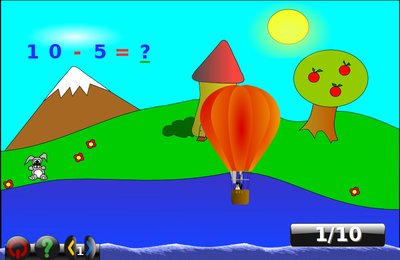
Gcompris - educational games and activities for kids

Gcompris is a suite of over 80 educational games and activities for kids age 4 to 10 to learn with. These include:
Computer discovery: keyboard, mouse.
Algebra: table memory, enumeration, double entry table, mirror image.
Science: the canal lock, the water cycle, the submarine, electric simulation.
Geography: place the country on the map.
Games: chess, memory, connect 4, oware, sudoku.
Reading: reading practice.
Other: learn to tell time, puzzle of famous paintings, vector drawing.

Screenshots: See Here
Download: See Here

Tuesday, October 21, 2008

KEduca - educational MCQ software

KEduca is an educational testing package, allowing teachers to create tests for pupils to take. KEduca includes a module for constructing and saving new tests, as well as a separate module for loading and running the exams. Questions can be enhanced with images, multiple choice answers with varying grades, and time limits.

Source: See Here

KPercentage - a mathematical application for calculating percentages

KPercentage is a mathematical application that helps pupils improve their skills in calculating percentages. Percentages are split into three types and KPercentage tests pupils on these in three training modes. In addition to this, there is a random mode which will pick questions from each of the three percentage question variations.

Source: See Here
Download: Click Here

KAlgebra - a mathematical calculator

KAlgebra is a mathematical calculator based content markup MathML language. Nowadays it is capable to make simple MathML operations (arithmetic and logical) and representate 2D and 3D graphs. It is actually not necessary to know MathML to use KAlgebra.


Source: See Here
Download: Click Here for Source download(Source bz2 file).

Kig - Create geometric constructions

Kig is a program for exploring geometric constructions.
It is meant as a better replacement for such free programs as KGeo, KSeg and Dr.Geo and commercial programs like Cabri.
Kig is meant as a useful and powerful utility for high school students and teachers, and as a fun project for me and others. I have learned a lot by working on it, and it's fun to work together with other people on it. I've written much of the Kig code myself, but I've also had a lot of help from other people. Please see the about box for more information.
Anyway, since this is probably what you all came here for, here's a link to the screenshots page.
If you have Kig with Python scripting, you can find the documentation of Kig Pyhon scripting API here.

KmPlot - Plot mathematical equations

KmPlot is a mathematical function graphing and plotting package. KmPlot has a built in powerful expression parser and you can plot different functions simultaneously and combine their terms to build more complex mathematical functions. It supports functions with parameters and functions in polar coordinates. Plots may also be printed with high precision.

Source: See Here

More Screenshots: See Here

KTurtle - Program in Logo

KTurtle is an educational programming environment for the KDE Desktop. KTurtle aims to make programming as easy and touchable as possible, and therefore can be used to teach kids the basics of math, geometry and... programming.
The programming language used in KTurtle is loosly based on Logo. KTurtle allows, just like some implementations of Logo, to translate the programming language (the commands, the documentation and the error messages) to native language of the programmer. For more information on translating KTurtle please read the translation how to. Translating the programming language to the native language of the programmer is one of the many ways KTurtle tries to make learning to programming more simple. Other features to help to achieve this goal are: intuitive syntax highlighting, simple error messages, integrated canvas to make drawings on, integrated help function, slow-motion or step execution, and more.

Image Source: Here

The KTurtle Handbook